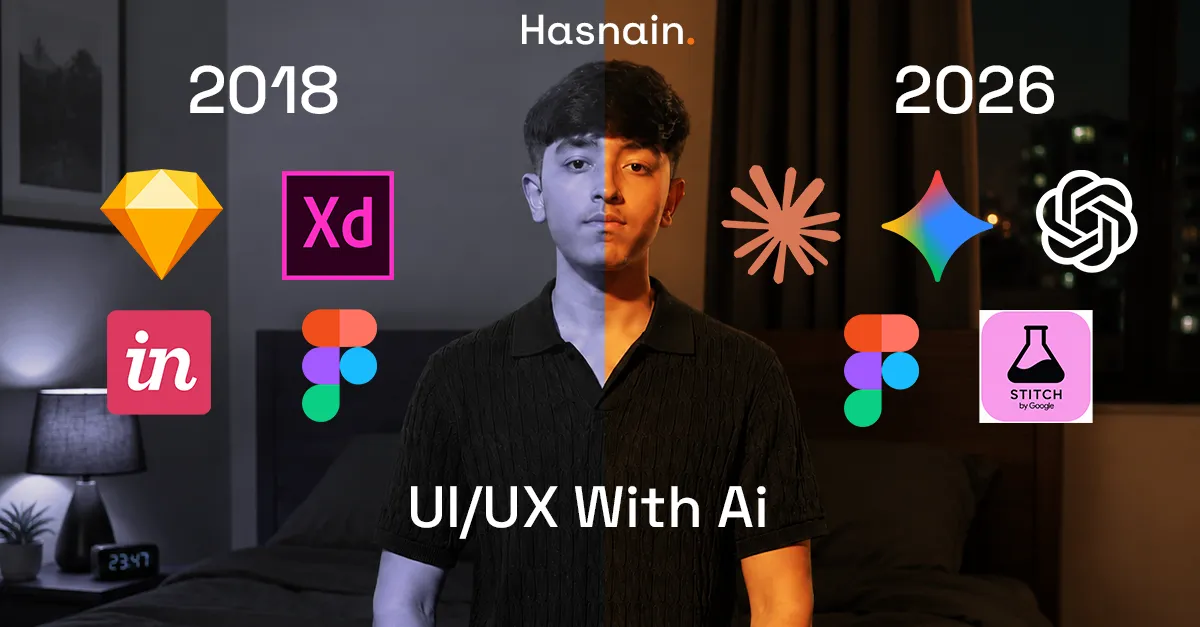
Artificial Intelligence is changing the way designers work. Just a few years ago, UI/UX designers spent days creating wireframes, designing screens, building prototypes, writing content, and preparing files for developers. Today, AI tools can perform many of these tasks within minutes.
Modern design is no longer about spending hours drawing the same components repeatedly. Instead, designers use AI to automate repetitive work and focus on creating better user experiences. Tools such as ChatGPT, Claude, Gemini, Stitch, and Figma AI are helping designers become more productive than ever before.
What Is UI Design?
UI stands for User Interface Design. It focuses on the visual appearance of a digital product. UI designers are responsible for colors, typography, spacing, icons, buttons, forms, layouts, navigation menus, cards, and visual hierarchy.
A good user interface looks professional, feels modern, and makes it easy for users to interact with a product.
What Is UX Design?
UX stands for User Experience Design. UX focuses on how users interact with a product and how they feel while using it.
UX designers conduct research, understand user behavior, identify pain points, create user journeys, improve workflows, and ensure products are easy to use.
Good UX design helps users accomplish their goals with minimal effort and frustration.
How UI/UX Design Worked Before AI
Before AI became popular, nearly everything in the design process was done manually.
User Research
Designers interviewed users, created surveys, reviewed feedback, and analyzed competitors manually. This process could take several days or even weeks.
User Personas
Personas were created manually using research data. Designers spent hours organizing information and creating fictional user profiles.
User Flows
Every user journey had to be mapped manually using flowchart tools.
Wireframing
Designers built low-fidelity screens from scratch. Every page required manual work.
UI Design
Colors, typography, spacing, components, and layouts were all created manually.
Prototyping
Interactive prototypes required designers to manually connect screens and interactions.
Developer Handoff
Designers exported assets, documented components, and provided measurements for developers.
This entire workflow consumed significant time and effort.
Most Popular UI/UX Tools Before AI
Sketch
Adobe XD
InVision
Figma
Zeplin
Balsamiq
Photoshop
Illustrator
These tools dominated the UI/UX industry for many years and were essential for designing websites and applications.
The Rise of AI in UI/UX Design
Artificial Intelligence introduced a completely new way of working. Instead of starting with a blank canvas, designers can now describe their ideas using natural language prompts.
AI can generate layouts, wireframes, content, user flows, research summaries, design systems, and even frontend code.
This allows designers to move from idea to prototype much faster than traditional methods.
How ChatGPT Helps UI/UX Designers
ChatGPT has become one of the most powerful tools for modern designers.
Research Assistance
Designers can paste customer reviews and instantly receive summaries of user pain points and opportunities.
User Persona Creation
ChatGPT can generate realistic user personas based on target audiences.
User Flow Generation
Designers can create complete user journeys with simple prompts.
UX Writing
ChatGPT generates onboarding messages, button labels, notifications, tooltips, error messages, and interface content.
Design Critiques
Designers can upload screenshots and receive suggestions for improvement.
How Claude Helps UI/UX Designers
Claude excels at handling large amounts of information.
Many UX researchers use Claude to analyze surveys, customer interviews, support tickets, and research documents.
Claude can identify common user frustrations, summarize findings, and generate actionable recommendations.
How Gemini Helps UI/UX Designers
Gemini is useful for brainstorming, product planning, research, and idea generation.
Designers use Gemini to create feature lists, identify market opportunities, generate product requirements, and improve product strategy.
How Google Stitch Is Changing Design
Google Stitch represents a major shift in the design industry.
Instead of manually creating every screen, designers can describe an interface and Stitch generates layouts automatically.
Benefits of Stitch
Prompt-to-UI generation
Faster wireframing
Rapid prototyping
Design-to-code workflows
Reduced production time
Improved iteration speed
Tasks that previously required several hours can now be completed in minutes.
How Figma AI Improves Design Workflows
Figma remains one of the most important tools for designers. AI features make it even more powerful.
Figma AI Features
Generate layouts automatically
Create content instantly
Suggest components
Improve design consistency
Organize layers automatically
Speed up prototyping
Figma AI helps designers focus on solving problems rather than repetitive production work.
Why AI Is Replacing Traditional Workflows
AI is not replacing designers. AI is replacing repetitive tasks.
Traditional workflows involved many activities that did not require creativity. AI can now automate these tasks and allow designers to focus on strategy and innovation.
Traditional Workflow
Manual wireframes
Manual content writing
Manual persona creation
Manual user flow creation
Manual prototyping
Manual documentation
AI Workflow
AI-generated wireframes
AI-generated content
AI-generated personas
AI-assisted user flows
AI-powered prototyping
AI-generated documentation
Why Designers Should Use AI
AI offers significant advantages for designers and teams.
Faster project completion
Reduced repetitive work
Better productivity
More design exploration
Faster research analysis
Improved collaboration
Rapid prototyping
Smarter decision making
Lower production costs
Faster design iterations
Teams that use AI effectively can complete projects significantly faster than teams using traditional workflows.
Can AI Replace Designers?
No.
AI can generate screens and automate workflows, but it cannot fully understand human emotions, business goals, customer psychology, or strategic decision-making.
Successful products require empathy, creativity, critical thinking, and problem-solving skills that humans provide.
The future belongs to designers who know how to work with AI rather than compete against it.
Where Designers Find Design Inspiration
Dribbble
One of the most popular platforms for discovering modern UI design trends and creative ideas.
Behance
A platform where professional designers showcase portfolios and case studies.
Mobbin
A massive collection of real-world mobile and web application designs.
Awwwards
A gallery of award-winning websites and digital experiences.
Land-book
A curated collection of landing page inspiration.
Lapa Ninja
Excellent resource for startup and SaaS website inspiration.
Figma Community
Free UI kits, design systems, templates, plugins, and resources.
Useful for collecting visual inspiration and mood boards.
The Future of UI/UX Design With AI
The future of UI/UX design will combine human creativity with artificial intelligence.
AI will continue improving research, wireframing, prototyping, content creation, and development workflows. Designers will spend less time on repetitive tasks and more time understanding users and solving complex problems.
Companies increasingly seek designers who understand both traditional design principles and AI-powered workflows.
Conclusion
UI/UX design is evolving faster than ever before. ChatGPT, Claude, Gemini, Stitch, and Figma AI are transforming the way products are designed, tested, and built.
AI is not replacing creativity. AI is removing repetitive work and allowing designers to focus on what truly matters: creating outstanding user experiences.
The designers who learn AI today will be the leaders of tomorrow's design industry.